Cricut Machine Face-Off: Finding Your Perfect Match Among the Explore, Maker, and Joy
Here's a conversation that happens in Cricut Facebook groups roughly a hundred times a day: someone posts a photo of a project they're proud of, and immediately the comments fill up with "which machine did you use?" It sounds like small talk, but the question actually matters. The machine you choose shapes what you can make, how fast you can make it, and whether your setup ever becomes something more than a hobby.
Cricut's current lineup — the Joy, the Explore series, and the Maker series — looks simple enough on paper. But when you start layering in real-world use cases, material goals, and production volume, the "right" choice gets a lot more specific. Let's actually dig into it.
First, Stop Thinking in Specs and Start Thinking in Projects
Most comparison guides lead with cutting force numbers and compatibility charts. That stuff matters, but it doesn't tell you much if you don't already know what you're making. Before you even look at machine prices, ask yourself three things:
- What materials am I cutting most often (or want to cut)?
- Am I making things for myself, for gifts, or to sell?
- Do I need to produce multiples quickly, or is one-at-a-time totally fine?
Your answers to those three questions will do more to point you toward the right machine than any spec sheet will.
The Cricut Joy: Adorably Capable, Honestly Limited
The Joy is Cricut's compact machine, and it genuinely earns its fan base. If you're making labels, small decals, card fronts, or iron-on patches for personal use, the Joy is a legit option. It's quiet, it fits on a crowded desk, and it doesn't require a cutting mat for many materials — which makes quick projects feel actually quick.
But here's where the Joy starts to show its limits: the cutting width maxes out at about 4.5 inches. That rules out full-sheet decals, 12x12 cardstock projects, and anything that requires a standard Cricut mat. If you've been eyeing those gorgeous layered shadow boxes or oversized shirt designs, the Joy simply can't get you there.
For small-batch sellers making things like mug wraps, planner stickers, or small gift tags, the Joy can work — but you'll feel the ceiling fast. It's honestly best suited for the casual crafter who wants to personalize things around the house without committing to a full setup.
Best for: Beginners, apartment crafters, personal projects, small labels and cards. Skip it if: You want to sell products, cut larger materials, or work with anything thicker than cardstock or everyday vinyl.
The Cricut Explore Series: The Workhorse Most Makers Actually Need
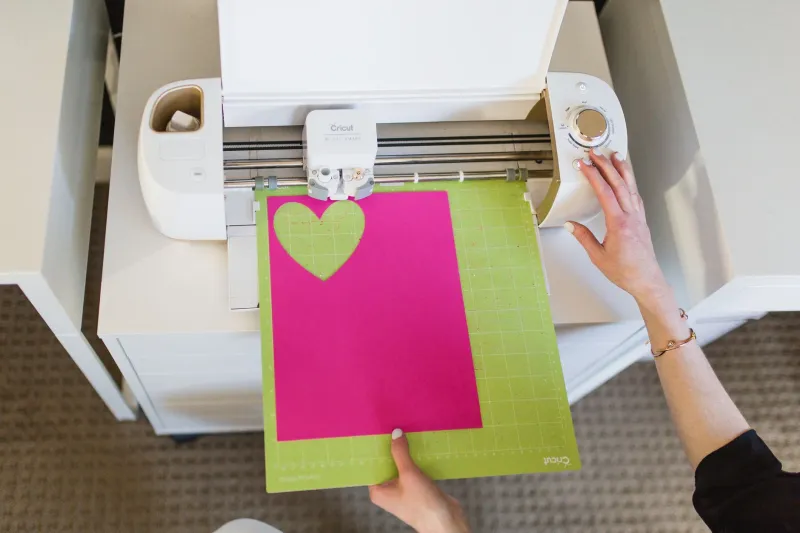
The Explore Air 2 and the newer Explore 3 sit in the sweet spot for a huge chunk of the crafting community. These machines cut vinyl, iron-on, cardstock, poster board, and a solid range of everyday materials. The Explore 3 specifically introduced Smart Materials cutting — meaning you can cut longer continuous rolls without a mat, which is a genuine time-saver for production runs.
If you're running an Etsy shop that sells vinyl decals, custom tumblers, or HTV shirt designs, an Explore machine will handle your volume without complaint. It's not the most powerful Cricut machine, but it doesn't need to be for those applications. The cut quality on vinyl and iron-on is excellent, and the speed on the Explore 3 is noticeably faster than its predecessors.
Where the Explore hits a wall is with thicker or specialty materials. Leather, balsa wood, thick foam, fabric without a stabilizer backer — those are Maker territory. If you're only occasionally dabbling in those materials, you might be fine cutting them slowly or skipping them altogether. But if those materials are central to your product line, the Explore will frustrate you.
Best for: Vinyl sellers, HTV shirt makers, paper crafters, small business owners focused on flat materials. Skip it if: You regularly work with thick materials, want to use the knife blade, or plan to cut fabric without an iron-on backing.
The Cricut Maker Series: The Machine That Grows With You
The Maker and the Maker 3 are the heavy hitters. The adaptive tool system means you can use a rotating blade for fabric, a knife blade for balsa and thick chipboard, a scoring wheel for crisp folds, and engraving and debossing tools for more specialized work. The cutting force is significantly higher than the Explore, which translates directly into material versatility.
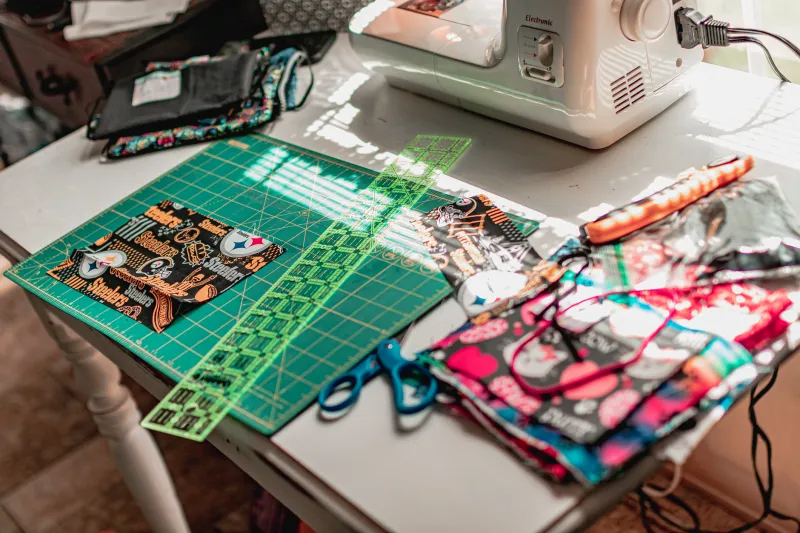
For makers who sell at craft fairs, the Maker opens up product categories that simply aren't accessible on other machines. Leather earrings, quilting fabric pieces, thick felt ornaments, chipboard gift boxes — these are Maker projects. And if you're building a business where product diversity is part of your strategy, that versatility has real dollar value.
The Maker 3 also cuts Smart Materials without a mat, matching the Explore 3 in that department while adding all the tool compatibility advantages.
The honest downside? Price. The Maker 3 retails significantly higher than the Explore 3, and if 90% of your work is vinyl and cardstock, you're paying for capabilities you'll rarely use. That's not necessarily a bad investment if you plan to grow into those capabilities — but it's worth being honest about whether you actually will.
Best for: Makers working with fabric, leather, thick materials, or anyone building a diverse product catalog. Skip it if: You're on a tight budget and your projects live squarely in the vinyl-and-cardstock world.
The ROI Question Nobody Asks Enough
Here's the thing about machine cost that gets glossed over: it's not just the sticker price. It's what the machine lets you charge for your products. A Maker that lets you cut genuine leather earrings opens up a price point that an Explore simply can't reach. If selling leather accessories at $20–$35 a pair is part of your plan, the Maker's higher upfront cost pays itself back faster than you'd think.
On the flip side, if you're selling vinyl decals at $5–$8 each, the Explore's lower price means you're not carrying unnecessary overhead into a lower-margin product line. Match your machine cost to your realistic revenue per project, and the "right" answer becomes a lot clearer.
Quick Decision Guide
- You're brand new and just want to try crafting: Start with the Joy or a refurbished Explore.
- You make and sell vinyl, HTV, or paper projects: Explore 3 is your machine.
- You want to sell diverse handmade goods at markets or on Etsy: Maker 3 is worth the investment.
- You already have an Explore and want to upgrade: Only jump to the Maker if you're genuinely hitting material limitations.
There's no universally "best" Cricut machine — there's only the one that fits what you're actually making right now, with room for where you want to go. Get honest with yourself about both of those things, and the choice practically makes itself.